
Ua ib qho chaw tseem ceeb rau kev xa cov ntaub ntawv hauv tib neeg lub neej, lub suab hauv chav sib thamKev tsim qauv yog qhov tseem ceeb heev. Ua haujlwm zoo hauv kev tsim suab, kom txhua tus neeg koom nrog tuaj yeem nkag siab meej txog cov ntaub ntawv tseem ceeb uas lub rooj sib tham tau qhia thiab ua tiav qhov txiaj ntsig ntawm lub rooj sib tham. Yog li, yuav tsum tau them sai sai rau dab tsi hauv kev tsim suab ntawm chav sib tham? Kev nyab xeeb thiab kev yooj yim ntawm lub tshuab suab. Xav txog kev siv tau thiab kev nthuav dav ntawm cov khoom siv.
lub tshuab suab hauv chav sib tham
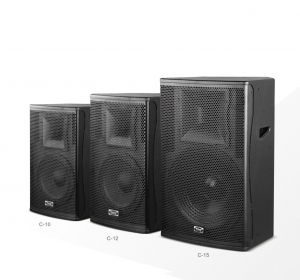
Lub tshuab suab ntawm chav sib ntsib cuam tshuam rau qhov cuam tshuam ntawm lub rooj sib tham. Lub tshuab suab zoo ntawm chav sib ntsib yuav txuag tau ntau yam teeb meem rau lub rooj sib tham. Yog li cov tshuab twg yuav tsum muaj lub tshuab suab ntawm chav sib ntsib ntawm lub tuam txhab? Dab tsi yog qhov kev daws teeb meem tag nrho?
(1) Lub kaw lus txhawb zog suab:
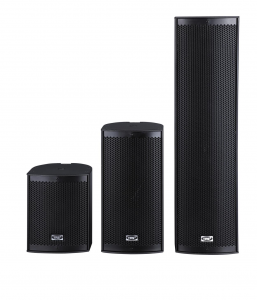
Lub Hoobkas Hais Lus Hauv Kab L Series
Lub kaw lus txhawb nqa suab yog tsim los ntawm cov khoom sib tov, lub tshuab ua suab digital, lub tshuab ua kom muaj zog tshaj lij, lub suab tshaj lij, lub microphone wireless, DVD player, lub zog sib law liag thiab lwm yam khoom siv. Ua kom tiav cov txheej txheem ntawm ntau yam teeb liab suab, paub txog qhov ua kom lub suab nrov hauv chav sib tham, thiab koom tes nrog lub kaw lus tso saib video kom muab cov teebmeem suab thiab pom zoo heev.
(1) Lub tshuab sib tham hauv online:
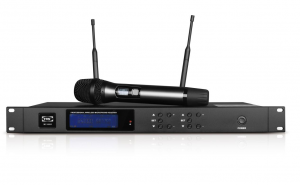
Lub tshuab sib tham digital no muaj cov tshuab digital uas tswj lub rooj sib tham, lub tshuab ua tus thawj coj, lub tshuab sawv cev, ntau yam software tswj thiab lwm yam khoom siv. Lub tshuab sib tham digital no muaj peev xwm tswj tau yooj yim rau txhua hom kev sib tham, txawm tias nws yog kev sib tham me me lossis kev sib tham thoob ntiaj teb loj nrog ntau txhiab tus neeg hauv ntau hom lus. Nws muaj cov yam ntxwv ntawm ntau yam haujlwm, suab zoo, kev xa xov digital ruaj ntseg thiab txhim khu kev qha. Cov haujlwm ntawm tag nrho lub tshuab sib tham digital suav nrog kev sib tham thiab kev hais lus hauv lub rooj sib tham, kev pov npav ua ke hauv lub rooj sib tham, kev txhais lus ntau hom lus tam sim ntawd ntawm lub rooj sib tham (txog li 8 hom lus), kev kaw tag nrho, thiab nkag mus rau ntau yam teeb liab suab.
(3) Lub kaw lus tso saib video:
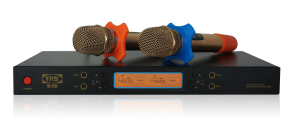
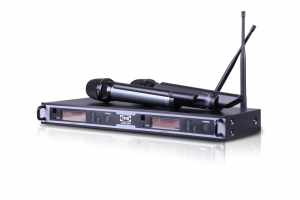
MC-9500 Lub Microphone Uas Muaj Ciam Teb Wireless Lag Luam Wholesale
Lub kaw lus tso saib multimedia muaj cov projectors LCD uas muaj qhov ci ntsa iab, muaj kev daws teeb meem siab thiab cov ntxaij vab tshaus hluav taws xob; nws ua tiav lub kaw lus tso saib loj rau ntau yam ntaub ntawv duab.
(4) Chav ib puag ncig system:
Lub kaw lus ib puag ncig hauv chav tsev muaj cov teeb pom kev zoo hauv chav tsev (xws li cov teeb incandescent, cov teeb fluorescent), cov ntaub thaiv qhov rais thiab lwm yam khoom siv; nws ua tiav kev hloov pauv rau tag nrho ib puag ncig hauv chav tsev thiab huab cua kom hloov kho tau raws li qhov xav tau tam sim no; piv txwv li, thaum ua si DVD, lub teeb yuav tsaus ntuj thiab cov ntaub thaiv qhov rais yuav tsaus ntuj. kaw.
Yuav ua li cas rau nruab cov khoom siv suab hauv kev sib tham?
Daim duab qhia kev sib txuas ntawm lub rooj sib tham uas feem ntau siv hauv chaw ua haujlwm:
Kev sib txuas ua ke: Microphone → Mixer → Equalizer → Power Amplifier → Speaker lossis: Microphone--Equalizer--Amplifier--Speaker
1, (lub microphone wireless) xa cov teeb liab wireless mus rau → (lub microphone receiver wireless)
→qhov nkag interface (tov khoom) qhov tso zis interface → Ib qho nkag (amplifier) Qhov tso zis → (hais lus)
2. Kev nkag mus rau hauv lub microphone los ntawm xov hlau → (((())) (TV) VCR port ---> → projector Vcom (video conferencing terminal) → txuas rau lub intranet VPN rau kev sib tham video.
Lub sijhawm tshaj tawm: Lub Kaum Ob Hlis-30-2022